Wood grain changes
The finish or grain pattern gets reinterpreted.
Yes, AI can change a product-photo background. The hard part is keeping the product itself from being redrawn, recolored, or subtly reshaped.
Zemqo is designed to generate a realistic new environment around the original product, so your listing still shows what you sell.
Upload your product photo. Verify your email to receive 3 free credits.
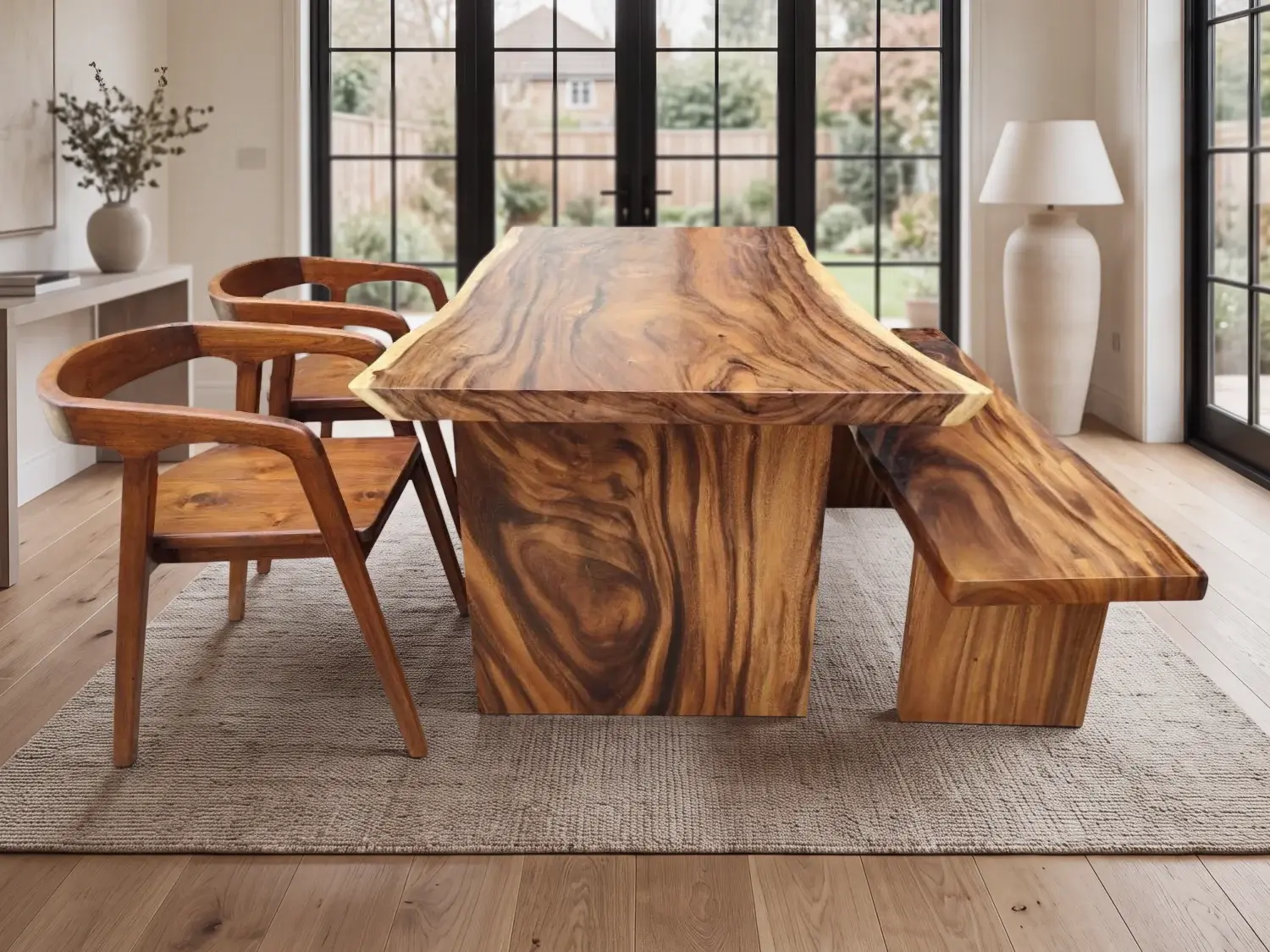
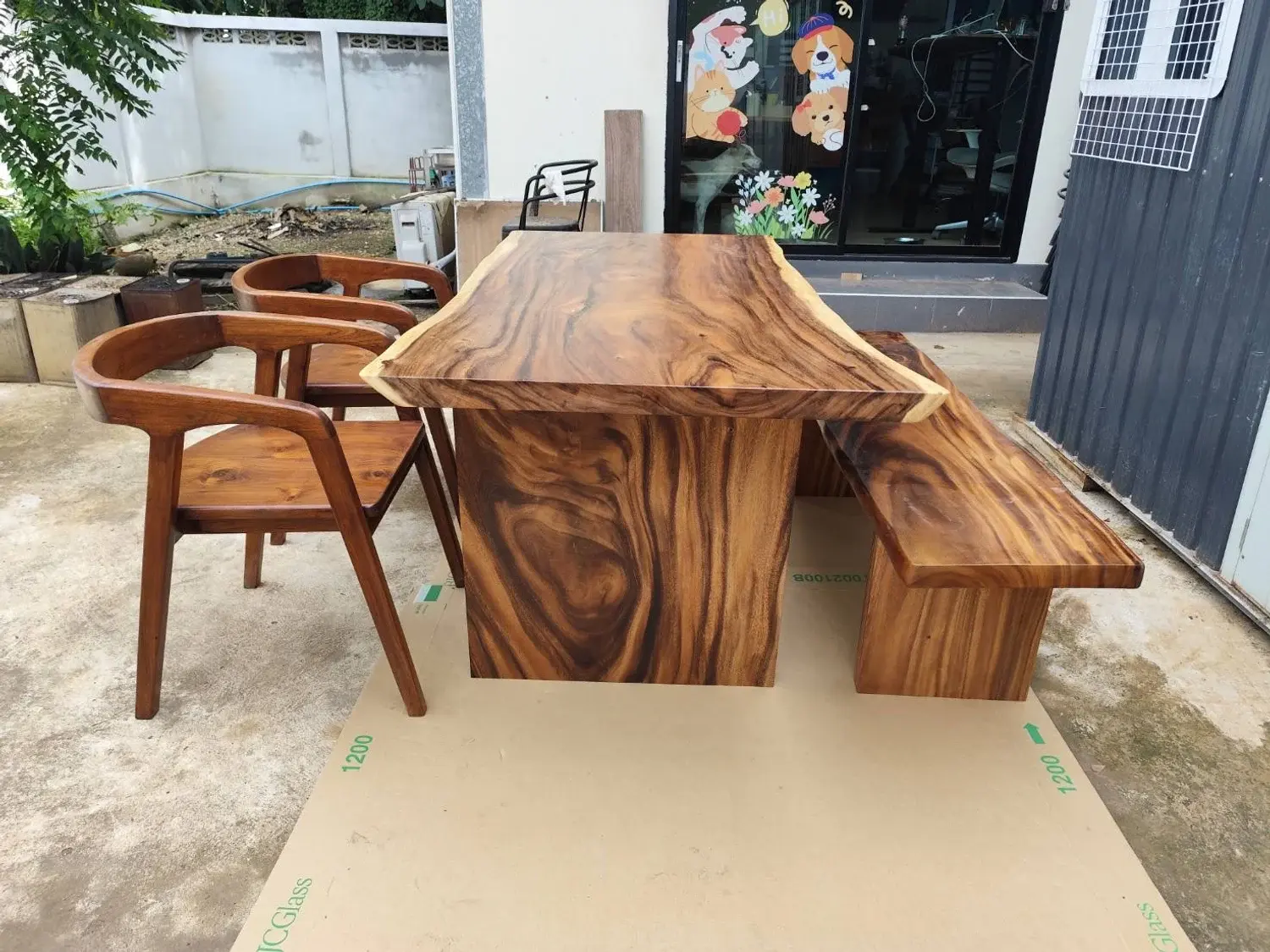 Before · OriginalAfter · Zemqo
A background edit can become a full-image reinterpretation. That may look plausible, but it can stop looking like the item your customer will receive.
The finish or grain pattern gets reinterpreted.
A tabletop, cushion, or cabinet can become subtly different.
Thin edges, openings, and silhouettes lose their original shape.
The product gets warmer, darker, lighter, or recolored.
Construction details move, disappear, or connect differently.
Small marks, hardware, and recognizable details get lost.
Zemqo removes the original background first, lets you review the cutout, and generates the new environment around that approved product. The source-derived product is then restored over the generated scene.
This approach is designed to preserve the visible product while the room, studio, floor, light, and atmosphere change around it.
Try Furniture Background GeneratorDesigned to preserve the product’s shape, proportions, material, texture, color, edges, legs, and other visible details.
This real Zemqo example starts with a workshop photo and moves the dining table and chairs into a finished interior.
The table, chairs, wood grain, legs, and original camera view remain the reference while the environment changes.
No technical setup. Start with the photo you already have and review the result before you use it.
Start with the real photo of the furniture or product you sell.
Zemqo separates the product so the source stays at the center of the workflow.
Pick a furniture-focused setting or describe the room, studio, light, and atmosphere.
Create the new environment, then compare it with the original photo.
Keep the version that works for your catalog, listing, website, or campaign.
When the product in the image needs to match the product in the box, a better background is only useful if the item stays recognizable.
Show the same piece in rooms your customers can picture themselves in.
Build a more consistent lifestyle catalog from the photos you already have.
Turn ordinary listing images into clearer product presentations.
Place finished products in realistic settings before arranging a full shoot.
Offer useful scene variations without reshooting every environment.
Create commercial imagery without moving large furniture between locations.
Prepare scene variations for the channels where your products are sold.
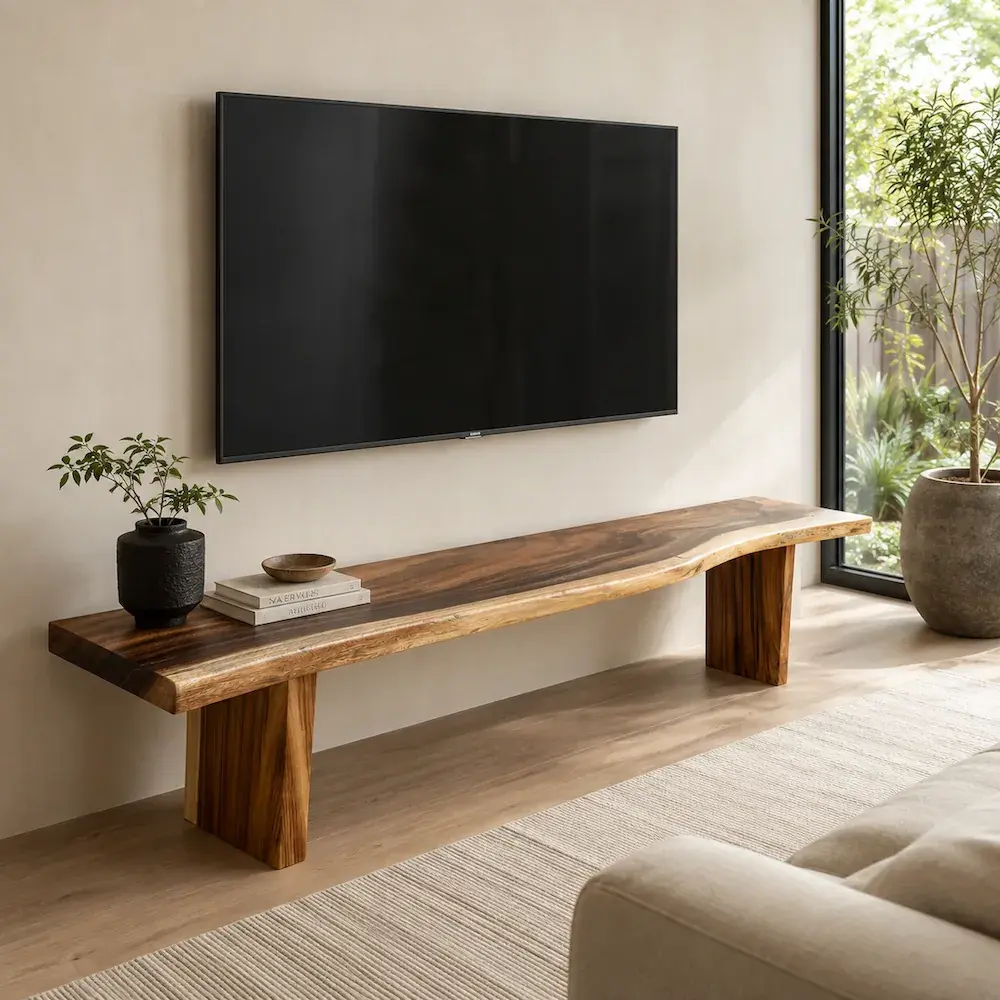 Furniture-level detail
Furniture has large surfaces, recognizable wood grain, live edges, leg geometry, joins, and perspective. It also has to meet the floor with believable scale, contact shadows, and light.
A generic object editor can make a new chair or table that looks fine at a glance. Furniture sellers need the piece they photographed to remain the piece they sell.
Generate a Furniture BackgroundUse the image you have as the starting point for a more useful product presentation.
Here is what to expect when you use AI for product background replacement.
Yes, but the workflow matters. Many generative editors reinterpret the full image. Zemqo isolates the source product, generates the environment around it, and restores the source-derived product core. It is designed to keep the product visually consistent, but every result should still be reviewed.
Many image models treat the product and its surroundings as one image. When asked to create a new scene, they may redraw the whole composition instead of changing only the environment. That can alter shape, texture, color, edges, or small details.
Upload your photo to Zemqo’s Furniture Background Generator. Zemqo removes the original background, lets you check the cutout, then generates a new scene around the product. Choose a preset or describe your own background before generating.
Zemqo is designed to preserve the furniture from the original photo, including its visible shape, material, and details. Fine edges, reflections, transparent parts, and shadows can vary, so inspect the result before publishing.
Yes. The current workflow is built for furniture such as dining tables, chairs, sofas, cabinets, and other products where wood grain, upholstery, proportions, legs, joints, and floor contact matter.
Yes. Choose from furniture-focused scene presets or use Custom to describe a studio, living room, showroom, outdoor setting, lighting style, or atmosphere.
No. The Furniture Background Generator handles background removal as part of the workflow. You can review and refine the cutout before creating the new scene.
Try a new background with the product photo you already have.
Try Furniture Background Generator